Gemini, Veo, Nano Banana & More

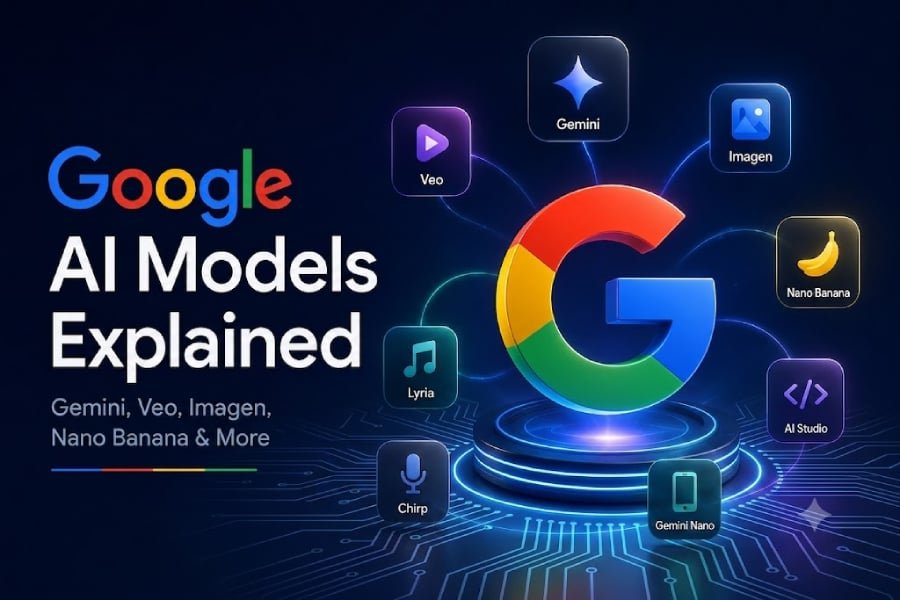
Google’s AI lineup has become an alphabet soup with a side of fruit.
Gemini handles writing, research, coding, and other general tasks. Veo generates video. Nano Banana creates and edits images using Gemini, while Imagen remains Google’s specialized text-to-image family. Google also offers separate models for music, speech, mobile devices, and custom applications.
The names can blur together, but the basic structure is simple: Google uses different AI model families for different jobs.
Gemini: Google’s flagship AI family
Gemini is Google’s main family of multimodal AI models. Multimodal models can work with several kinds of information, including text, images, audio, video, and code.
Users may encounter Gemini through the Gemini app, Google Workspace, Search, Android, Google AI Studio, and Google’s enterprise AI products.
Google offers multiple Gemini models optimized for different workloads. Pro models generally emphasize more demanding reasoning and coding tasks, while Flash and Flash-Lite models prioritize speed, efficiency, and lower-cost processing. Gemini Nano is designed for selected on-device features.
The exact model names change as Google releases new generations, so businesses should check Google’s current model catalog before choosing one for an application.
Best for: Writing, research, coding, analysis, agents, and multimodal applications.
Veo: AI video generation
Veo is Google DeepMind’s generative video model family.
It can create video from written prompts and reference images, interpreting instructions on camera movement, visual style, lighting, scenery, and action. Google has positioned Veo for creators, filmmakers, marketing teams, and developers building video tools.
Businesses considering Veo should evaluate more than visual quality. Generation costs, brand consistency, copyright concerns, and synthetic-media disclosure requirements may also affect how the model can be used.
Best for: Marketing clips, storyboards, concept videos, and creative prototypes.
Imagen: Google’s specialized text-to-image family
Imagen is Google’s specialized text-to-image model family.
It creates images from written descriptions and has supported tasks such as producing illustrations, advertising concepts, presentation graphics, and product mockups.
Google discontinued the Imagen 4 developer endpoints in June 2026 and now recommends Gemini-based image models for new developer projects. However, Google still lists Imagen as part of its broader portfolio of specialized AI models.
For most new deployments, businesses should compare Google’s current Gemini image options before choosing an image model.
Best for: Text-to-image generation and understanding the evolution of Google’s image-model portfolio.
Nano Banana: Gemini-based image creation and editing
Nano Banana is Google’s current family of image-generation and editing models built on Gemini.
The models use Gemini’s language and multimodal understanding to follow detailed instructions, work with uploaded images, and refine results through an ongoing conversation. A user can ask Nano Banana to replace a background, remove an object, adjust clothing, change lighting, or keep a character consistent across multiple images.
Google’s current family includes Nano Banana Pro, Nano Banana 2, and Nano Banana 2 Lite. The variants differ in capability, speed, and cost. Nano Banana Pro emphasizes precision and control, while Nano Banana 2 and 2 Lite prioritize faster and more efficient generation.
Imagen and Nano Banana belong to separate model families. Imagen is Google’s specialized text-to-image technology, while Nano Banana is built on Gemini and emphasizes multimodal, conversational image generation and editing.
Best for: Image creation, image editing, iterative design, social graphics, and character consistency.
Gemma: Open models for developers
Gemma is Google’s family of open models for developers and researchers.
Unlike Gemini models, which users generally access through Google products or application programming interfaces, Gemma models can be downloaded and adapted for supported computing environments. This gives organizations more control over deployment and customization.
That flexibility also creates additional work. Teams must manage infrastructure, security, testing, updates, and model safeguards themselves.
Best for: Custom applications, local deployments, research, and developer experimentation.
Lyria: AI music generation
Lyria is Google DeepMind’s music-generation model family.
Its current flagship, Lyria 3, can create high-fidelity tracks lasting up to three minutes. Users can specify genres, instruments, vocal styles, lyrics, tempo, and other musical details. The model can also use an uploaded image as inspiration for a track.
Google also offers Lyria RealTime, which is designed for interactive music generation rather than producing a finished track from a single prompt.
Best for: Music experiments, soundtracks, audio concepts, and interactive composition.
Chirp: Speech recognition and transcription
Chirp is Google’s speech-focused model family.
Businesses may use Chirp for speech recognition, transcription, captions, voice interfaces, and customer-call analysis. It is generally encountered through Google Cloud services rather than a standalone consumer application.
Performance may vary based on background noise, accents, technical vocabulary, overlapping speakers, and recording quality.
Best for: Transcription, captions, speech recognition, and voice applications.
Gemini Nano: AI that runs on a device
Gemini Nano is designed to run selected AI workloads directly on supported devices.
On-device processing can reduce latency, limit reliance on an internet connection, and offer privacy benefits by allowing some information to be processed locally. Nano models are smaller than Google’s main cloud-based Gemini models, so they are best suited to focused functions such as summarization, suggested replies, transcription assistance, and other mobile features.
Availability depends on the device, operating system, and individual feature.
Best for: Mobile AI, offline features, low-latency processing, and selected privacy-sensitive tasks.
Google AI Studio and Gemini Enterprise are platforms
Google AI Studio and Google’s enterprise AI platform are often mentioned alongside its models, but they are not individual models. It allows developers to test prompts, explore supported models, and build early prototypes.
Gemini Enterprise Agent Platform is Google Cloud’s enterprise AI environment. It provides organizations with tools to access models, build agents, manage data, evaluate performance, and deploy AI applications.
Google now includes Vertex AI’s services within the Gemini Enterprise Agent Platform.
A simple way to remember the difference is that models perform the AI work, while platforms provide the tools to access, manage, and deploy them.
More Google coverage
Which Google AI model should you use?
The right choice depends on the task:
- Use Gemini for writing, research, coding, reasoning, and agents.
- Use Veo for video generation.
- Use Nano Banana for current image creation and editing projects.
- Use Gemma when deployment control and customization matter.
- Use Lyria for music generation.
- Use Chirp for speech recognition and transcription.
- Use Gemini Nano for supported on-device features.
- Use Google AI Studio for testing and prototyping.
- Use Gemini Enterprise Agent Platform for enterprise development and deployment.
Businesses should also compare cost, security, availability, data governance, output quality, and integration requirements before settling on a model.
Google will continue adding names to its AI catalog. The easiest way to navigate the lineup is to focus on the task: Gemini is the general-purpose family, while models such as Veo, Imagen, Nano Banana, Lyria, and Chirp specialize in particular types of media and information.
Want to see Gemini in action? Check out our coverage of Google’s $99 Gemini-powered Home Speaker and how the company is bringing its AI assistant into the smart home.